Mother-in-law's rude viral email preventable?
(CBS) - Family drama is mortifying enough in private. That's why people should never say anything nasty in a format that can be forwarded, copied or pasted to millions. Last month, Heidi Withers received an email from her future mother-in-law, Carolyn Bourne. It wasn't an invitation to tea, but rather a nasty criticism of her lack of etiquette.
Neither Bourne nor Withers could have known that their little spat would be a global sensation. So what could be done to save these dueling women from international embarrassment? Not much - there's no such thing as time travel.
However, here are two email tips that can save you from an awkward or embarrassing situation if you find yourself emailing with intense emotion...
Microsoft Outlook's message delivery delay
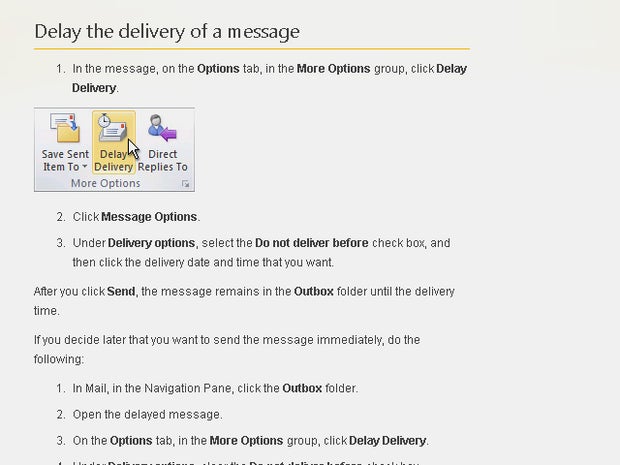
Sometimes you just need 15 minutes to calm down and realize that you are about to send an inappropriate email. Thankfully, there are two ways you can delay messages in Outlook. The Microsoft Office blog posted a step-by-step guide on how to delay the delivery of your messages. Under "delivery options," select "do not deliver before," then check a time and date.
Gmail plug-in to schedule your emails
Boomerang for Gmail is a plugin for Chrome and Firefox that allows you to schedule emails for later. After the plugin is installed, the option to schedule emails for a later time and date are available right on the compose mail screen. It works with both Gmail and Gmail Apps email.
Take note, emo emailers! Write out what you want to send, schedule it giving yourself hours to mull it over, and if you realize you no longer want to send it, delete away! Sometimes you just need a little time to cool off.