Microsoft
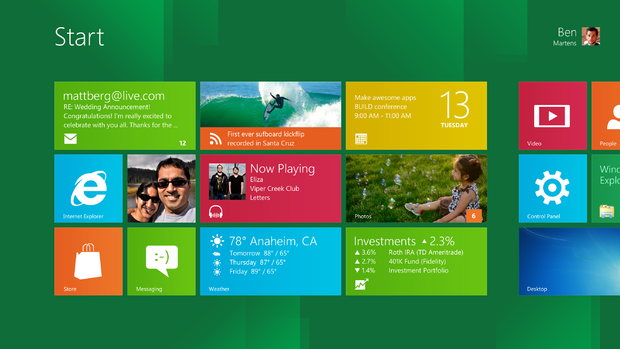
The new Start screen lands you smack dab in the middle of the Metro interface, with numerous apps and services loaded simultaneously.
Internet Explorer 10
Microsoft
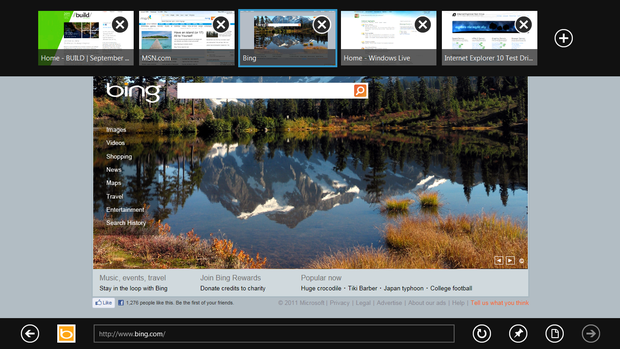
Windows 8 will come with Internet Explorer 10, optimized for touch-based browsing. Don't look for any fundamental changes from IE9, although you will see some features such as notifications and security from IE9 leveraged to Metro.
App switching
Microsoft
If you browse to a site that offers its own Metro app, Windows 8 will ask if you want to just load the content in the app instead. This feature wasn't working in the build Microsoft provided us. You can also swipe from the left to jump to a previously used app, including the traditional Windows desktop.
Dual-monitor setup
Microsoft
Dual monitor support is nothing new to Windows, although Microsoft says that you'll now be able to display the Metro Start screen on one monitor and the traditional desktop on the other.
Lock screen
Microsoft
The new lock screen takes its cues from the smartphone world, with battery, connectivity, date, time, and notification icons displayed.
Photo picker
Microsoft
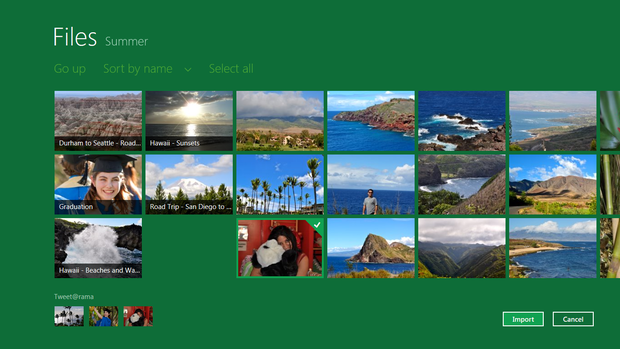
Images can easily be shared in Metro across accounts, making it easier to share photos from, say, Flickr, to Facebook friends.
Task Manager
Microsoft
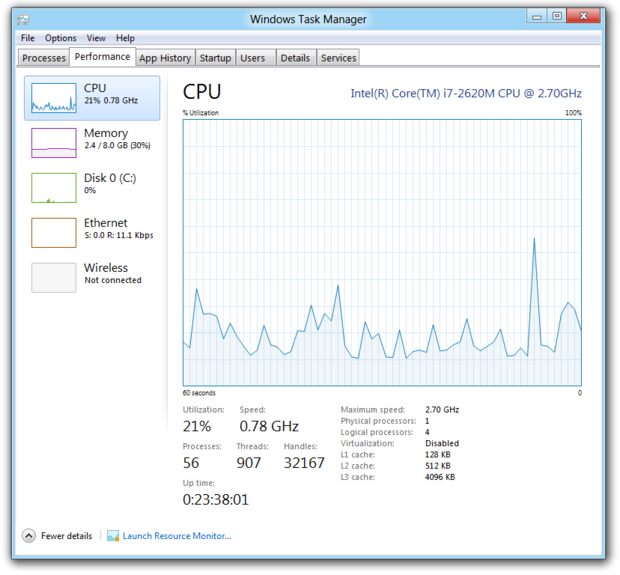
The Task Manager sees its first major update in a long time, with a heat map of activity, and the ability to examine traffic in use across your RAM, memory, hard drive, and networks.
Managing processes
Microsoft
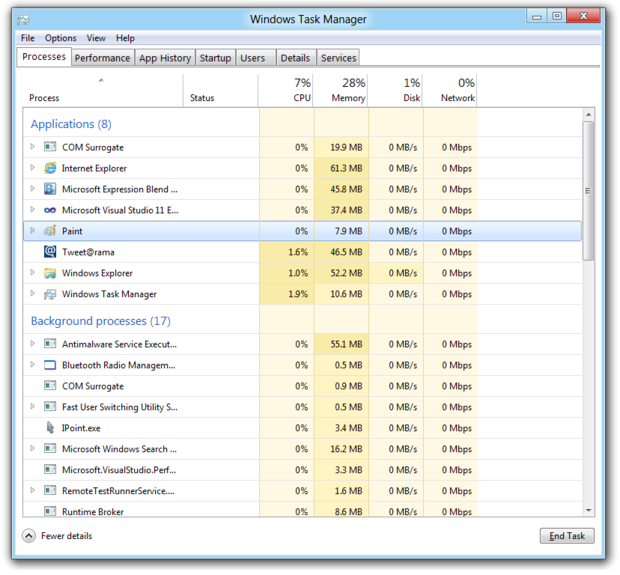
Here's a closer look at the Task Manager heat map, emphasizing which processes have been most active.
Onscreen keyboard
Microsoft
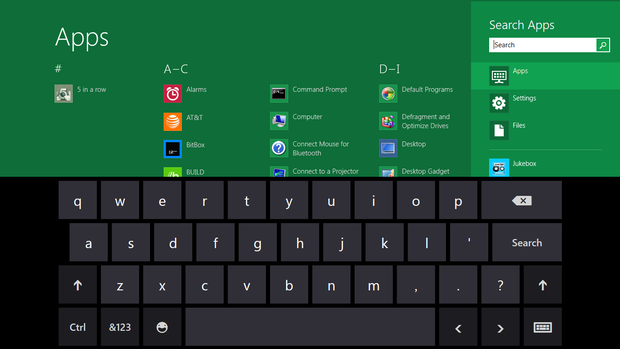
The onscreen keyboard felt natural to use, and comes with options to accept handwriting from your finger or a stylus, and can also switch to a split keyboard mode for thumb typing.
Keyboard for thumbs
Microsoft
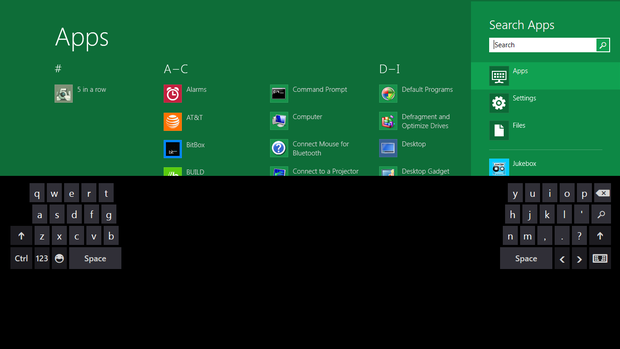
The thumb keyboard option ought to make it easier to type two-handed on a tablet. Thankfully this option was included, as the demo tablet was too heavy to comfortably hold in one hand.
Visual Studio
Microsoft
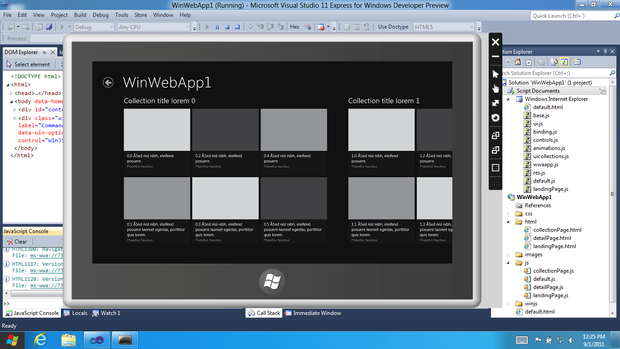
Visual Studio 2011 Express is a lightweight and free version of the developers tool that Microsoft has created to make it easier for devs to build their Metro apps. It works with HTML5 and XAML.